
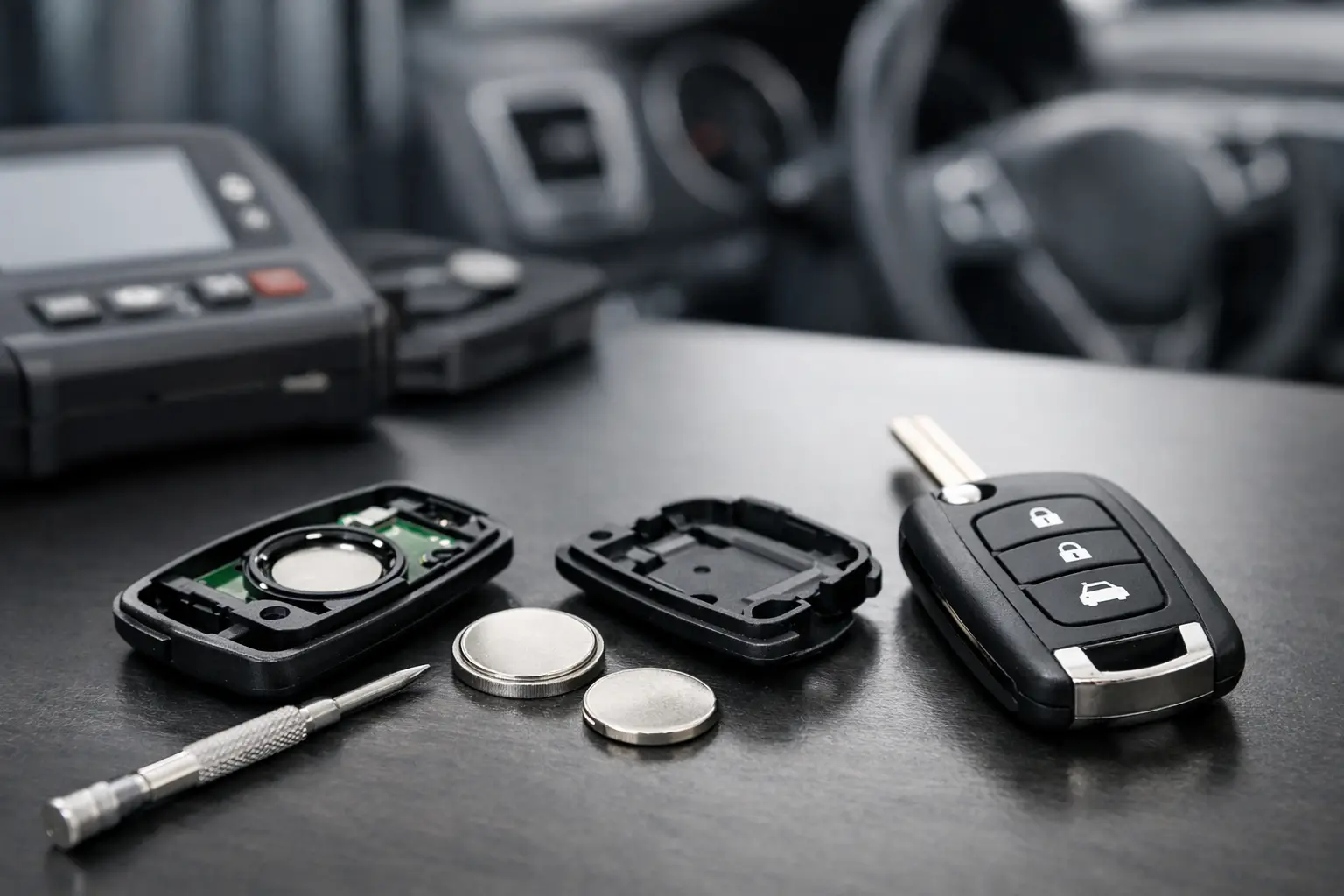
How to Replace Remote Fob Batteries Correctly
A remote that only works when you are standing beside the vehicle is often giving a clear warning: its battery is nearing the end of its useful life. Remote fob batteries are inexpensive, but choosing the wrong cell, fitting it the wrong way round or overlooking a separate fault can turn a simple maintenance job into an unnecessary replacement purchase.
For vehicle owners, a fresh battery can restore reliable central locking before the fob fails completely. For locksmiths, garages and key professionals, keeping the correct cells in stock helps avoid delays on routine customer jobs. The key is to identify the battery from the fob itself, rather than relying on a vehicle model alone.
When do remote fob batteries need replacing?
Reduced operating range is the most common sign. You may need to press the button several times, point the remote directly at the car, or move much closer than usual before the doors respond. An intermittent LED on the fob, where fitted, can also indicate a weak battery.
Some vehicles display a key battery warning on the instrument panel. Treat this as an early prompt rather than waiting for total failure, particularly with keyless entry or smart keys. If the battery goes flat while the vehicle is away from home, the mechanical emergency blade may still allow access, but the procedure for starting the car varies by make and model.
Battery life depends on the cell type, the fob’s transmission power, button use and storage conditions. Two to five years is common, though a spare key kept in a drawer may last longer. Heat, cold and prolonged storage can reduce performance, so a newly purchased but old-stock battery is not always the best choice.
Identify the correct remote fob battery before opening it
Coin-cell lithium batteries are used in most modern car remotes and smart keys. Common references include CR2032, CR2025, CR2016, CR1620 and CR1632. The code is not arbitrary: the first two digits generally indicate diameter in millimetres, while the remaining digits indicate thickness in tenths of a millimetre. A CR2032 is 20mm in diameter and 3.2mm thick, for example.
That difference matters. A CR2025 and CR2032 share a diameter, but the CR2032 is thicker. It may fit some holders, but it can prevent the case closing properly or place strain on the contacts. Conversely, fitting a thinner battery where a thicker cell is specified may cause poor contact and an intermittent remote.
Check the old battery once the fob is open, then match its reference exactly wherever possible. The owner’s handbook may also state the type, but the marking on the existing cell and the fob’s battery compartment are usually the most useful confirmation. For a replacement remote or an aftermarket shell, also check the listed battery specification, button layout and physical fitment details.
Not every remote uses a standard coin cell. Older fobs, garage remotes and gate handsets may use cylindrical alkaline batteries, such as A23 or A27 types, or less common lithium cells. Never assume that a battery supplied for a car key will suit a gate or garage remote just because the handsets look similar.
How to replace a remote fob battery without damaging the case
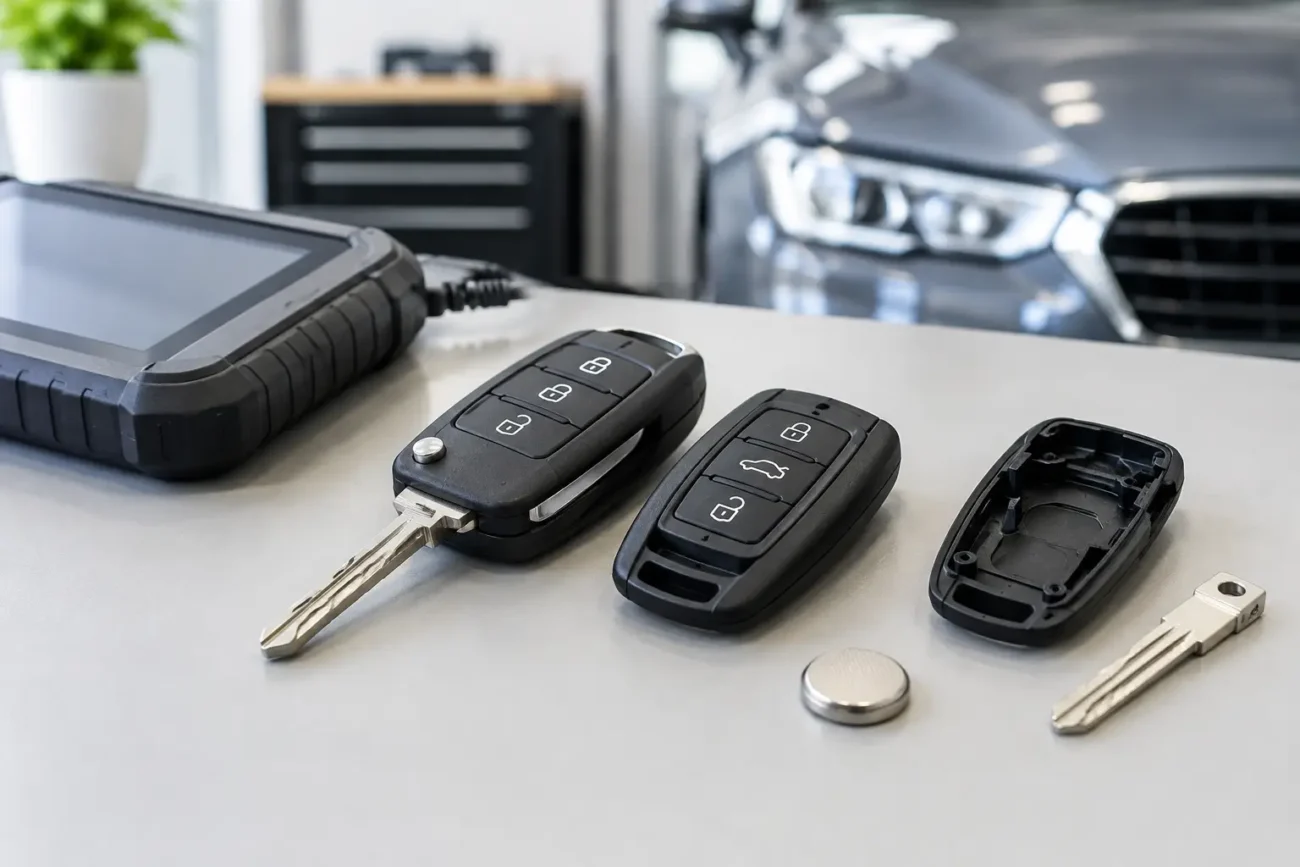
Before starting, work over a clean, well-lit surface. A small plastic trim tool is preferable to a metal screwdriver because it is less likely to mark the casing or damage the retaining clips. If the fob has an emergency key blade, remove it first where the design requires it.
Look for the small notch or split line around the edge of the housing. Open the case gently at the intended point rather than forcing apart the widest section. Smart-key housings can contain delicate clips, seals and circuit boards, and a replacement shell is an avoidable expense if the original casing is cracked during a basic battery change.
Note the battery orientation before lifting it out. In most fobs, the positive side marked with a plus symbol faces upwards, but this is not universal. Taking a quick photograph is sensible, especially when dealing with unfamiliar remote fobs. Release the battery from the edge rather than bending the metal contact spring.
Fit the new cell in the same orientation. Avoid touching both faces excessively, as clean, dry contacts help maintain good electrical connection. If there is visible dirt or residue, lightly clean the battery contacts with a dry, lint-free cloth. Do not use liquid cleaners inside the remote.
Reassemble the case evenly, ensuring the seal and buttons sit correctly. Insert the mechanical blade where applicable, then test lock, unlock and boot-release functions from a normal distance. For keyless systems, test passive entry and vehicle start in line with the manufacturer’s normal operating procedure.
Does changing the battery mean the fob needs programming?
Usually, no. Replacing the battery in an existing working remote normally does not erase its programming or immobiliser data. The remote should operate as before once a suitable cell is fitted correctly.
There are exceptions. A fob that had an existing fault may still not work after the battery is changed. A damaged circuit board, worn button switches, corroded contacts, water ingress or a failed transmitter can produce symptoms that look like a flat battery. The vehicle’s receiver or central-locking system can also be the source of the problem.
If the remote has been opened for a shell replacement, take care to transfer every original component required by that design. Depending on the key, this may include the remote circuit board, transponder chip, battery holder and key blade. A replacement shell alone does not create a functioning new key, and a newly supplied remote may require programming to the vehicle.
For trade work, identify whether the job involves a simple battery replacement, a case repair, an aftermarket remote or an OEM-board solution before quoting. These are different products with different compatibility checks and programming requirements.
Common problems after fitting a new battery
If a fob does not work after replacement, first reopen it and check the basics. Confirm the battery reference, polarity and seating in the holder. Look for a contact spring that has been pushed flat, a battery retaining clip that is not fully engaged, or a case that has not closed completely.
A new battery can also be faulty or depleted, particularly if its provenance and storage history are unclear. Testing the cell with a suitable battery tester or multimeter is useful for workshops, although voltage alone does not always show how well a battery performs under load. For a retail user, trying a known-good, correctly specified cell is often the quickest practical check.
Where the fob’s LED illuminates but the vehicle does not respond, the issue may be transmission, vehicle synchronisation or the car itself rather than battery power. Where no LED is present, do not assume the fob is dead solely because it remains unlit. Model-specific diagnosis is more reliable than guesswork.
A weak battery should not be confused with a worn key shell. Split cases, loose buttons and missing blade-retention parts can make a sound remote awkward to use, but they do not necessarily affect the battery. Replacing the shell can be a cost-effective repair when the original electronics remain in good condition.
Choosing batteries for vehicle, gate and garage remotes
Quality matters more than the packaging appearance. Select a recognised, correctly specified battery with a clear reference and sensible shelf-life information. For professional buyers, carrying common coin-cell sizes alongside A23 and A27 batteries covers a broad range of car, gate and garage remote jobs without tying up excessive stock.
Keep unused batteries in their original packaging, away from heat and moisture. Do not store loose cells where they can touch metal objects or each other, as this can cause discharge. Coin cells are hazardous if swallowed, so keep them securely away from children and dispose of spent batteries through an appropriate battery recycling point rather than household waste.
Compatibility remains the priority. Before ordering, check the exact battery code, fob style and any available part number. This small check prevents the most common delay: receiving a perfectly good battery that is simply the wrong size for the remote.
A battery replacement is one of the quickest ways to restore everyday convenience, provided the fob is correctly diagnosed first. Keep the old cell long enough to verify its reference, fit the replacement carefully, and test every function before relying on the key for the next journey.
Pingback: Remote Fob Parts Guide for Smarter Replacements - GLOBAL KEYS DIRECT LTD